Samsung Smart Switch Mobile
Free
Tools
-
4.8
- Free Price
- Tools Category
- Samsung Electronics Co., Ltd. Developer
-
NameSamsung Smart Switch Mobile
-
PriceFree
-
CategoryTools
-
Rating4.8
-
DeveloperSamsung Electronics Co., Ltd.
App Store
Google Play
Samsung Smart Switch, the easiest way to move files and contents to your Samsung Galaxy. Users can transfer any contacts, messages, calender, photo, music, movie and device settings to a new Galaxy device.
Android users can directly use the function of wireless device-to-device transfer. iOS users can import contents from iCloud with limited file formats on iOS9 including contacts, calendar photos and videos. Smart Switch can also give suggestions of similar apps on Google Play.
Data on the device or SD card can be both scanned and transferred. Need more details about device information, please visit www.samsung.com/smartswitch. Download it now and enjoy the convenience between file transfers.
Ways To Transfer, Backup, or Restore
- Transfer wirelessly
- Connect with USB cable
- Restore from your PC
- Restore from an SD card
How to Transfer with WiFi
- Set phones next to each other and connect into the same WiFi
- Download Sumsung Smart Switch on both phones
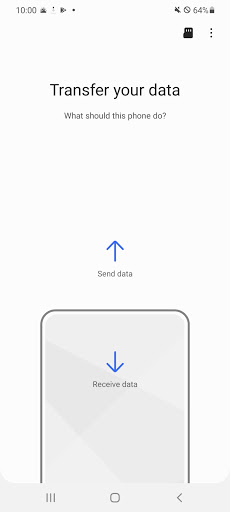
- Tap "Send Data" on your old device
- Tap "Receive Data" on your new Galaxy device
- Tap "Wireless" on both devices
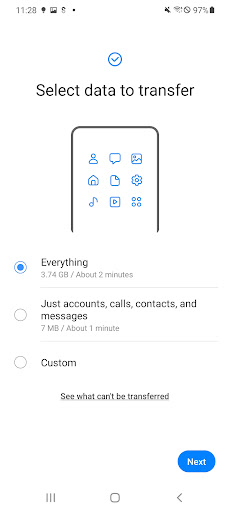
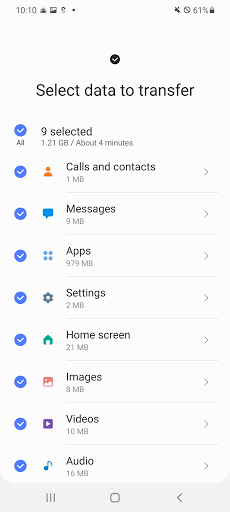
- Select desired content
- Tap "Send" on your old device
- Tap "Receive" on your new Galaxy
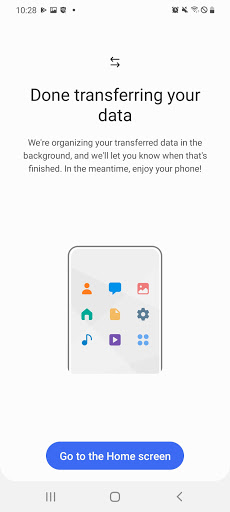
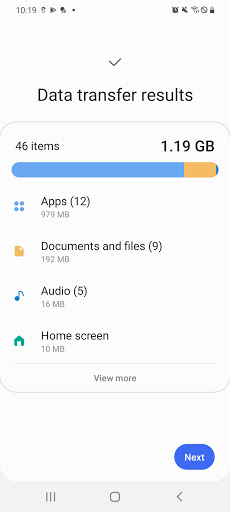
- After completing transfer, tap "Done" on the Galaxy & "Close" on the old phone
How to Transfer with Cable
- Install Smart Switch on both devices
- Tap "Send Data" on your old device
- Tap "Receive Data" on your new Galaxy device
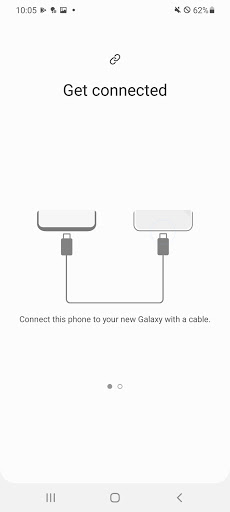
- Tap "Cable" on both phones
- Connect two phones with selected cable
- Select desired content
- Tap "Transfer"
- After completing transfer, tap "Done" on the Galaxy & "Close" on the old phone
What will you need if you want to transfer?
For Android transfer:
- Galaxy devices with Android 4.0 or higher can use wireless (Wi-Fi Direct)
- Galaxy devices with Android 4.3 or higher can use the wire via OTG cable
For iOS transfer:
- It needs iOS 4.2.1 or higher and Apple ID for the iCloud transfer
- It needs the Smart Switch PC/Mac software for the iTunes transfer
For Blackberry transfer:
- Blackberry OS 7 or 10 can use the wireless transfer
- Blackberry OS 7 can also use the wired transfer