Archivio
-
4.7
- Free Price
- Tools Category
- Samsung Electronics Co., Ltd. Developer
-
NameArchivio
-
PriceFree
-
CategoryTools
-
Rating4.7
-
DeveloperSamsung Electronics Co., Ltd.
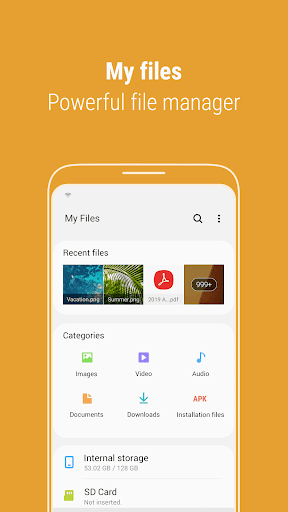
"My Files" manages all the files on your smartphone, just like a file explorer on your computer.
You can also manage files stored on SD cards, USB drives and files in the cloud storage connected with your smartphone at the same time.
Download and experience "My Files" now.
[New features in My Files]
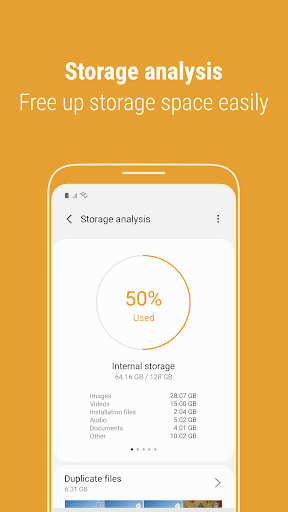
1. Free up storage space easily by tapping the "Storage Analysis" button on the main screen.
2. You can hide any unused storage space from the main screen via the "Edit My Files home".
3. You can view long file names without ellipses using the "Listview" button.
[Key features]
- Browse and manage files stored on your smartphone, SD card, or USB drive conveniently.
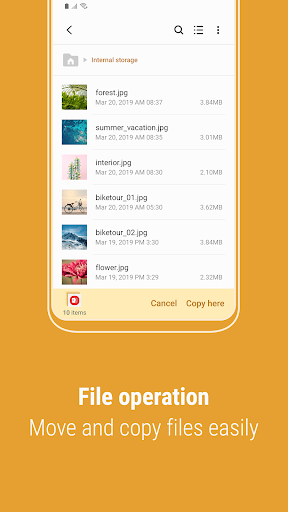
.Users can create folders; move, copy, share, compress, and decompress files; and view file details.
- Try our user-friendly features.
.The Recent Files list: Files the user has downloaded, run, and/or opened
.The Categories list: Types of files, including downloaded, document, image, audio, video, and installation files (.APK)
.Folder and file shortcuts: Show on the device home screen and the My Files main screen
.Provides a function used to analyze and free up storage space.
- Enjoy our convenient Cloud services.
.Samsung Cloud Drive
.Google Drive
.OneDrive
※ Supported features may be different depending on models.